
Nintendo Switch 2 Repair in Tucson
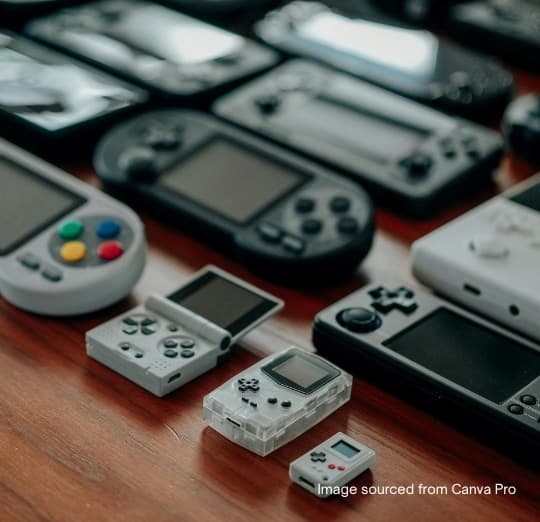
Yes, we look at Nintendo Switch 2 consoles, and the first thing to know is that it is not just a bigger Switch. It went on sale on June 5, 2025, and its parts are its own. The screen is a 7.9-inch 1080p LCD with HDR and a refresh rate of up to 120Hz, up from the original Switch's 6.2 inches. The Joy-Con 2 controllers attach magnetically instead of sliding onto rails, there are USB-C ports on both the top and bottom edges, and the card slot accepts only microSD Express cards. Screens, rails and controllers from the original Switch are not interchangeable with it.
Because the console is still new, some parts may have to be ordered. We tell you what's wrong, what it costs and whether the part is on hand before you commit.
How the Switch 2 is built, and what that means for repairs
Teardowns found the Switch 2 harder to work on than the original. The battery is firmly glued in, the internal storage and both USB-C ports are soldered to the mainboard, and so is the game card reader. That means a damaged charging port or card reader is board-level soldering rather than a plug-in part swap.
The upside is a bigger battery than the original Switch's. The downside of a glued pack is that it has to be released slowly and carefully, without bending or puncturing the cell, so battery replacement is a more involved job than on the earlier console.
Joy-Con 2 drift and controllers that won't stay attached
Teardowns found that the Joy-Con 2 sticks still use a contact-track design rather than Hall-effect sensors, so stick drift remains a wear fault on this generation too. Recalibrate the sticks in System Settings and update the controllers first. If the drift comes back, the stick module needs replacing.
The magnetic attachment brings its own faults. A Joy-Con 2 that won't hold firmly, disconnects when attached, or isn't recognized in handheld mode may have a problem with the connector on the controller or the console's side rail. Each Joy-Con 2 also has an optical sensor on its edge for mouse controls; if mouse input jumps or stops, clean that sensor window before assuming a fault.
Cracked Switch 2 screen: what to do
The larger screen makes for a bigger target, and a cracked display is one of the faults worth bringing in early. If the picture is still clear under the crack, cover it with tape to keep glass fragments contained and stop using touch controls in the damaged area. If the screen shows lines, flickers or stays black while the console still makes sounds, the LCD itself is damaged.
Charging and memory card problems
With USB-C ports on both edges, try charging from the other port before assuming the console won't charge at all. If one port works and the other doesn't, the fault is in that port or its solder joints. If neither port charges with Nintendo's own adapter, the console needs a closer look at the charging circuit.
If games on a memory card stop showing up, try a second card labeled microSD Express before assuming the slot has failed, since older microSD cards don't work in it. A card that worked in your original Switch won't necessarily work here.
Repair now or check the manufacturer warranty first?
Many Switch 2 consoles are still within Nintendo's own warranty period. For a fault that wasn't caused by a drop, a spill or wear, such as a console that stops working on its own, check that route first; we will tell you honestly if it looks like a warranty case. Accidental damage like a cracked screen or a port broken by a knock isn't usually covered by a manufacturer warranty, and that is where a local repair makes sense.
Keeping a Switch 2 cool and its dock clear
The Switch 2's dock has its own built-in fan, which draws air in at the back and pushes it out the top. Leave space around the dock as well as the console, especially if it sits in a TV cabinet, and keep the console's own vents clear when playing in handheld mode.
Bring the console to our store in Tucson Mall with its Joy-Con 2 controllers and, for a charging fault, the adapter you use. Back up your saves with Nintendo Switch Online if you subscribe, since hardware repairs don't require resetting the console but a backup is still the safe choice.
What You Get With Every Repair
- Free diagnostics — the fee comes off your repair
- We beat any local competitor's price by at least $10
- 90-day warranty on the work we perform
- 1-year limited warranty on genuine OEM parts and the repair
- Most repairs finished the same day
- Board-level micro-soldering other shops turn away
- Walk-ins and appointments welcome — inside Tucson Mall
- 14 years repairing devices in Tucson
How the Repair Works
- 1
Bring it in or call ahead
Walk in to our store inside Tucson Mall, or call (520) 477-8822 and describe the fault. No appointment needed.
- 2
Free diagnostic
We find out what is actually wrong rather than guessing from the symptom, and quote you before any work starts. The diagnostic fee comes off the repair if you go ahead.
- 3
You approve the price
Nothing happens until you say yes. If you have a written quote from another Tucson shop, we will beat it by at least $10.
- 4
We repair it
Most screen, battery and charging-port jobs are finished the same day. Board-level work takes longer and we tell you the timeline up front.
- 5
Warranty on the way out
Gamers Warehouse provides a 90-day warranty on the services we perform. Physical damage and liquid/water damage are not covered. For phone and device repairs using genuine components, Gamers Warehouse provides a 1-year limited warranty covering both the OEM replacement parts and the associated repair service.
Frequently Asked Questions
- How long does Nintendo Switch 2 repair take at Gamers Warehouse?
- It depends on the fault. Simple Nintendo Switch 2 repair jobs can often be finished the same day; board-level work such as HDMI ports or micro-soldering takes longer, and we give you a realistic timeline before we start.
- Where can I get Nintendo Switch 2 repair in Tucson?
- Gamers Warehouse does Nintendo Switch 2 repair in store, inside Tucson Mall at 4500 N Oracle Rd, Ste 204, Tucson, AZ 85705 — on the upper level, with parking right outside. Walk-ins and appointments are both welcome, Mon–Sat 9:00am–9:00pm and Sun 10:00am–6:00pm.
- What warranty comes with Nintendo Switch 2 repair?
- Nintendo Switch 2 repair carries our 90-day warranty on the work we perform; physical damage and liquid or water damage are not covered. Where the repair uses genuine components, it carries a 1-year limited warranty covering both the OEM replacement part and the associated repair service.
Book your Nintendo Switch 2 repair in Tucson
Walk-ins and appointments welcome. We're at 4500 N Oracle Rd, Ste 204, inside Tucson Mall — Mon–Sat 9:00am–9:00pm · Sun 10:00am–6:00pm.
Call Now: (520) 477-8822