
Nintendo Switch Repair in Tucson
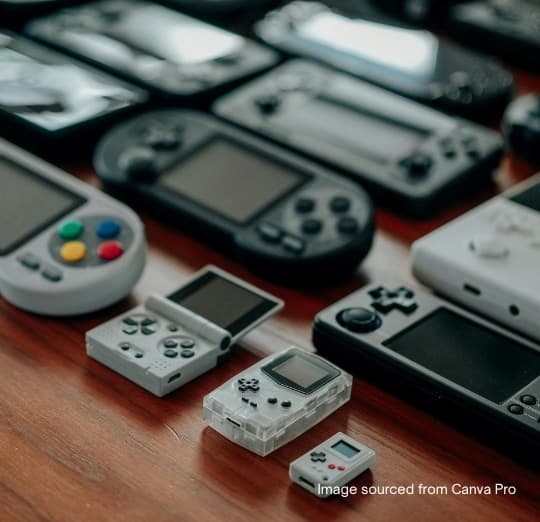
Yes, we repair every Nintendo Switch model, from the original 2017 console to the Switch Lite and Switch OLED. The faults that bring them in most are Joy-Cons that drift or won't connect, a console that won't charge or overheats, display problems such as dead pixels or a screen that flickers or freezes, cracked outer casings, and batteries that run down faster than they used to.
Simple repairs such as Joy-Cons that disconnect or a scratched screen can usually be finished the same day. Internal hardware faults take longer, and we give you a cost and a time estimate before any work starts so you can decide.
Which Switch do you have? Check the model number
Parts differ between Switch versions, so check the model number on the back of the console before you call. HAC-001 is the original 2017 console, HAC-001(-01) is the revised version with the longer-lasting battery, HDH-001 is the Switch Lite and HEG-001 is the Switch OLED. The Lite and OLED have their own pages, and the details below apply mainly to the original and revised consoles, which share the same 6.2-inch screen and overall layout.
Joy-Con drift on the Nintendo Switch
Joy-Con drift is the classic. The stick reads its position through a contact track that wears with play and collects dust, until the console registers movement nobody is making. Recalibrating the sticks in System Settings and updating the controller firmware is worth trying first; if the drift returns within an hour of play, the stick module needs replacing.
We can fit a like-for-like module or a Hall-effect stick, which senses position magnetically and has no contact track to wear out. A Joy-Con that keeps disconnecting in handheld mode, or slides off the console too easily, usually has a worn rail contact or latch rather than a stick fault.
Switch won't charge or won't turn on
A Switch that won't charge is very often a charging-chip fault rather than a dead battery. The original Switch's USB-C power delivery chip is known to fail after use with some third-party docks and chargers that don't follow the standard, leaving a console that shows no sign of charging. The chip is replaceable at board level, and your saved games are unaffected.
Before assuming the worst, charge the console for at least half an hour with Nintendo's own adapter, then hold the power button for about 12 seconds to switch it fully off, then turn it back on. A worn or damaged USB-C port, one that only charges with the plug held at an angle, is a separate repair.
Screen problems: touch glass or the display behind it
On the original Switch, the touchscreen glass and the LCD behind it are separate parts. A cracked front with a perfect picture underneath may only need the touch layer; lines, dark patches or no picture at all mean the LCD itself. We check which before quoting so you are not paying for a part you don't need.
A screen that freezes or flickers while the console is still responding to buttons can also be a loose display cable, particularly on a Switch that has been dropped. The OLED model is built differently, with its own display assembly, and is quoted separately.
Game cards, microSD and the dock
If the console stops reading game cards, try a second card and clean the card's contacts. A card reader with bent pins, often from a card pushed in at an angle, needs replacing. The microSD slot under the kickstand fails less often; try another card before assuming the slot is the problem.
A Switch that works in handheld mode but shows nothing on the TV may have a dock problem rather than a console fault. Try the official dock, the official power adapter and a different HDMI cable. If the console still won't output to the TV, the USB-C port or the video circuitry behind it is next to check.
Battery life and overheating on older Switch consoles
The first Switch consoles from 2017 have noticeably shorter battery life than the revised model Nintendo released in 2019, so a short battery life on an early console is partly the design. If yours now runs for a fraction of what it once did, the battery has worn and can be replaced.
A Switch that runs hot with a loud fan usually has dust in the fan and heat sink. Play with the vents clear, not on a blanket or a bed, and bring it to our store in Tucson Mall if it starts shutting down or warning you about temperature.
What You Get With Every Repair
- Free diagnostics — the fee comes off your repair
- We beat any local competitor's price by at least $10
- 90-day warranty on the work we perform
- 1-year limited warranty on genuine OEM parts and the repair
- Most repairs finished the same day
- Board-level micro-soldering other shops turn away
- Walk-ins and appointments welcome — inside Tucson Mall
- 14 years repairing devices in Tucson
How the Repair Works
- 1
Bring it in or call ahead
Walk in to our store inside Tucson Mall, or call (520) 477-8822 and describe the fault. No appointment needed.
- 2
Free diagnostic
We find out what is actually wrong rather than guessing from the symptom, and quote you before any work starts. The diagnostic fee comes off the repair if you go ahead.
- 3
You approve the price
Nothing happens until you say yes. If you have a written quote from another Tucson shop, we will beat it by at least $10.
- 4
We repair it
Most screen, battery and charging-port jobs are finished the same day. Board-level work takes longer and we tell you the timeline up front.
- 5
Warranty on the way out
Gamers Warehouse provides a 90-day warranty on the services we perform. Physical damage and liquid/water damage are not covered. For phone and device repairs using genuine components, Gamers Warehouse provides a 1-year limited warranty covering both the OEM replacement parts and the associated repair service.
Frequently Asked Questions
- How long does Nintendo Switch repair take at Gamers Warehouse?
- It depends on the fault. Simple Nintendo Switch repair jobs can often be finished the same day; board-level work such as HDMI ports or micro-soldering takes longer, and we give you a realistic timeline before we start.
- Where can I get Nintendo Switch repair in Tucson?
- Gamers Warehouse does Nintendo Switch repair in store, inside Tucson Mall at 4500 N Oracle Rd, Ste 204, Tucson, AZ 85705 — on the upper level, with parking right outside. Walk-ins and appointments are both welcome, Mon–Sat 9:00am–9:00pm and Sun 10:00am–6:00pm.
- What warranty comes with Nintendo Switch repair?
- Nintendo Switch repair carries our 90-day warranty on the work we perform; physical damage and liquid or water damage are not covered. Where the repair uses genuine components, it carries a 1-year limited warranty covering both the OEM replacement part and the associated repair service.
Book your Nintendo Switch repair in Tucson
Walk-ins and appointments welcome. We're at 4500 N Oracle Rd, Ste 204, inside Tucson Mall — Mon–Sat 9:00am–9:00pm · Sun 10:00am–6:00pm.
Call Now: (520) 477-8822